
Meltdown Deep Verified Freeze Password Recovery Verified Jun 2026
Meltdown Deep Verified Freeze Password Recovery Verified Jun 2026
Habit - Daily Tracker helps you create positive habits and crush your goals!

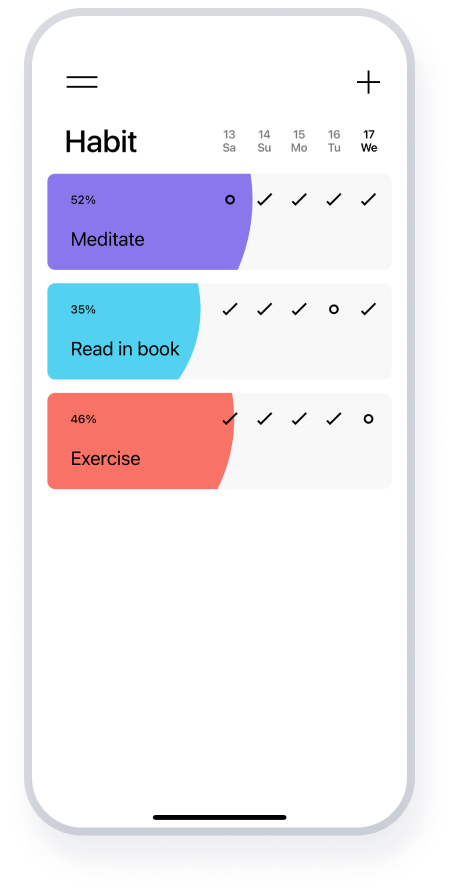
Habit - Daily Tracker helps you create positive habits and crush your goals!

Habit helps you create healthy routines by helping you set goals, tracking your progress, and then motivating you with streaks/chains, all in a simple, clean, package.
You have to enjoy climbing the mountain, not just the view from the summit.

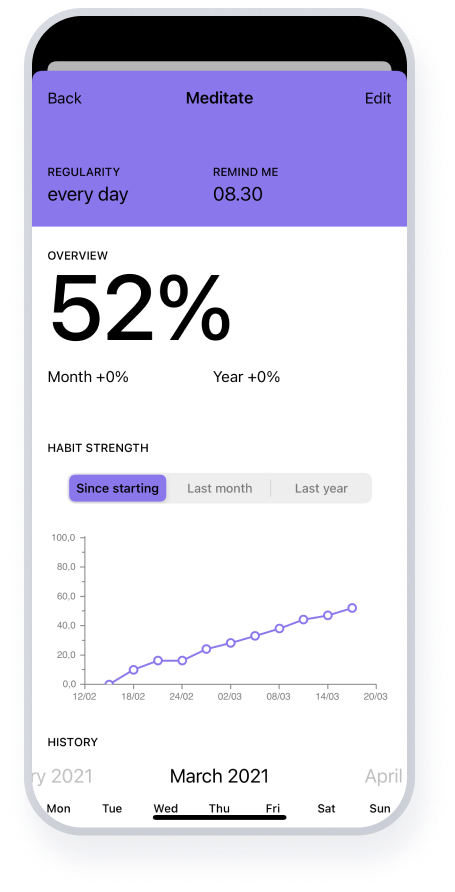


It’s great! Does exactly what it says! Has helped me a lot in maintaining a good morning routine and other habits such as taking vitamins/reading etc. Notifications are great!

I’ve been using this app for almost two months now, and I LOVE it. I’ve recommended it to a lot of friends already. It’s very straight forward and simple.
Open your Deep Freeze Enterprise Console or Configuration Administrator on your administrative machine.
Insert the bootable USB into the locked machine. Restart the PC and enter the BIOS/UEFI settings to boot from the USB drive.
Restart the machine and access the boot menu ( F12 , F11 , or F8 ). Select the USB drive as the primary boot device.
How to Cleanly Reinstall or Remove Deep Freeze Post-Recovery meltdown deep freeze password recovery verified
This public link is valid for 7 days and shares a thread, including any personal information you added. This link or copies made by others cannot be deleted. If you share with third parties, their policies apply. Can’t copy the link right now. Try again later.
Do not delete Persi0.sys , as this can cause a Blue Screen of Death (BSOD) loops on certain versions of Deep Freeze. Instead, rename it. Right-click Persi0.sys and select . Change the filename to Persi0.sys.bak .
Advance the system clock forward by (e.g., move it from 2026 to 2046). Save changes and exit the BIOS. Open your Deep Freeze Enterprise Console or Configuration
Using password recovery tools or "Meltdown" patches on a computer you do not own may violate TOS or local laws. These methods should only be used by system administrators or owners who have been locked out of their own devices. How to Prevent Future Lockouts To avoid needing a "Meltdown" recovery in the future:
Regaining access to a locked-out Deep Freeze machine is entirely possible. While tools like meltdown-c offer a,technical, verified, and specialized method for password recovery, administrators should prioritize the official Faronics one-time password methods within the Enterprise Console whenever possible.
For older or specific standalone versions where the console isn't an option, the community-developed tool is a well-known resource. Restart the machine and access the boot menu
Always configure a dedicated ThawSpace on workstations to store event logs and local backup files. This ensures that even if a system must be hard-reset or manipulated to recover a password, critical user data is safely sequestered outside the frozen partition.
Disclaimer: This method is a community-sourced workaround for older versions of Deep Freeze and should only be attempted in a lab environment. Modifying system files carries a risk of OS instability.
: It attempts to bypass the authentication driver or generate a valid OTP without the Enterprise Console. Security Risks